
Contents
- 1 Introduction
- 2 What Skills Do You Need to Start Data Entry Work from Home?
- 3 How Fast Should You Type for Data Entry Jobs?
- 4 Is Data Entry a Good Side Hustle for Beginners?
- 5 What Free Tools Can You Use to Practice Data Entry Skills?
- 6 How Do You Improve Accuracy in Data Entry Tasks?
- 7 Can You Learn Data Entry Without Prior Experience?
- 8 What Are Common Data Entry Mistakes to Avoid?
- 9 How Much Can Beginners Earn from Data Entry Freelancing?
- 10 How Do You Organize Data Effectively as a Beginner?
- 11 What Daily Habits Build Data Entry Speed and Focus?
- 12 Is Attention to Detail the Most Important Data Entry Skill?
- 13 How Long Does It Take to Master Basic Data Entry Techniques?
- 14 Conclusion: Build Your Skills, Build Your Future
Introduction
Have you ever typed out a list, filled in a spreadsheet, or organized some information on your computer? If so, you already have the basic instinct for data entry work.
Data entry is one of the most beginner-friendly ways to start earning online. It does not ask you to have a degree, years of experience, or a fancy portfolio. What it does ask for is your attention, consistency, and a willingness to learn the right skills.
But here is something I want you to know right from the start: data entry is not a get-rich-quick scheme. It is a real skill that takes time to build. When you approach it seriously, it can become a reliable side hustle or even a steady remote income source.
In this guide, you will get honest, step-by-step answers to the most common beginner questions about data entry — from the skills you need and the tools to use, to how much you can realistically earn. Let’s dive in.
What Skills Do You Need to Start Data Entry Work from Home?
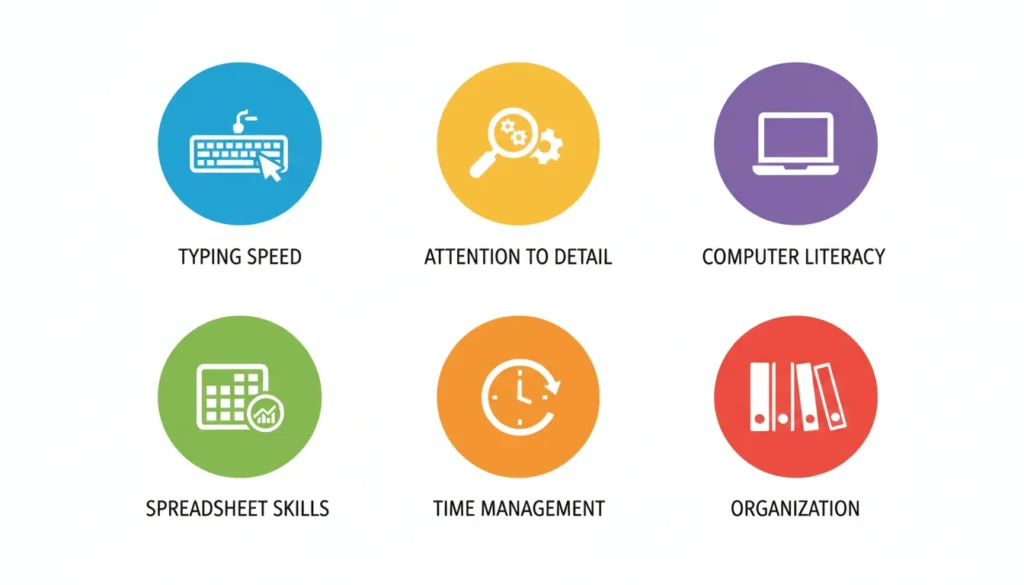
If you’re wondering whether data entry is right for you, the good news is: the barrier to entry is low. But “low barrier” does not mean “no preparation.” Here are the core skills every beginner should build:
- Typing Speed and Accuracy — You should be able to type at least 35–40 words per minute (WPM) with high accuracy. Most professional data entry jobs expect 50–60+ WPM.
- Attention to Detail — Spotting errors before they become problems is everything in data entry. One wrong digit can cause big issues in a database.
- Basic Computer Literacy — You need to be comfortable using a computer, navigating folders, and working with basic software.
- Spreadsheet Skills — Knowing how to use Microsoft Excel or Google Sheets is a huge advantage. Even basic knowledge like sorting, filtering, and simple formulas counts.
- Time Management — Data entry often involves deadlines. Managing your time well keeps you reliable and builds your reputation as a freelancer.
- Organization Skills — Knowing how to organize data effectively as a beginner will save you from confusion and help you deliver clean work.
How Fast Should You Type for Data Entry Jobs?
Typing speed matters — but it’s not the only thing that matters. Accuracy is equally important. Here’s a simple breakdown to set realistic expectations:
| Level | Typing Speed (WPM) | Accuracy Target | Job Readiness |
| Absolute Beginner | Under 30 WPM | Below 95% | Not ready yet — practice more |
| Beginner | 30–40 WPM | 95%+ | Can apply for simple tasks |
| Intermediate | 45–60 WPM | 97%+ | Eligible for most data entry jobs |
| Advanced | 60+ WPM | 99%+ | Competitive for higher-paying work |
💡 Quick Tip: Use free tools like Keybr.com, 10FastFingers, or TypingClub to practice data entry typing every day. Even 15 minutes a day adds up fast.
Is Data Entry a Good Side Hustle for Beginners?
Yes — with honest expectations. Data entry is one of the best entry-level online side hustles because:
- You can start with no prior experience
- You can work from home or anywhere with internet
- Flexible hours make it compatible with school or a day job
- It helps you build broader digital skills over time
That said, the pay at the beginner level is modest. Do not expect to replace a full-time income overnight. Think of it as building a foundation while earning a little extra on the side.
What Free Tools Can You Use to Practice Data Entry Skills?
You do not need to spend money to start practicing. Here are some excellent free tools:
| Tool | What It Helps With | Link |
| Keybr.com | Typing speed and accuracy | keybr.com |
| 10FastFingers | Speed tests and competitions | 10fastfingers.com |
| Google Sheets | Spreadsheet and data organization | sheets.google.com |
| Microsoft Excel (Free Online) | Excel skills for data entry | office.com |
| TypingClub | Structured typing lessons | typingclub.com |
| Kaggle Datasets | Practicing with real data sets | kaggle.com |
How Do You Improve Accuracy in Data Entry Tasks?
Speed without accuracy is useless in data entry. Here’s how to improve your data entry accuracy step by step:
- Slow down first — Speed comes naturally when accuracy becomes a habit. Start slow and build up.
- Double-check your work — Always review what you’ve entered before submitting.
- Use copy-paste carefully — Copy-paste can introduce formatting errors. Always verify pasted content.
- Minimize distractions — Work in a quiet space. Distractions lead to typos.
- Use data validation tools — Learn basic data validation skills to catch errors automatically in spreadsheets.
- Take regular breaks — Eye fatigue causes mistakes. Rest every 45–60 minutes.

Can You Learn Data Entry Without Prior Experience?
Absolutely. Data entry for beginners step by step is one of the most self-teachable skills online. Here’s how you can start from zero:
- Learn to touch-type (use all fingers without looking at the keyboard)
- Practice with free typing tools daily for at least 2–3 weeks
- Learn the basics of Google Sheets or Microsoft Excel
- Take free data entry training courses on platforms like Coursera, Udemy (free options), or YouTube
- Create a sample project — type out a dataset from a public source to build your portfolio
- Apply for small beginner tasks on platforms like Fiverr or Upwork
There is no shortcut, but the path is clear. Stay consistent and the skills will come.
📌 Internal Link: Freelance Jobs for Beginners: The Ultimate Guide to Building a Successful Online Career 2026
What Are Common Data Entry Mistakes to Avoid?
Learning from mistakes early saves you a lot of frustration later. Here are the most common errors beginners make:
- Ignoring accuracy in favor of speed — Speed without accuracy gets you negative feedback.
- Not organizing files properly — Messy folders lead to lost work and missed deadlines.
- Skipping proofreading — Always review your data before submission.
- Using the wrong format — Follow the client’s format exactly. If they want CSV, deliver CSV.
- Underestimating the time required — Data entry takes longer than it looks. Give yourself buffer time.
- Not backing up your work — Always save a copy of your work in a second location (Google Drive, USB, etc.).
How Much Can Beginners Earn from Data Entry Freelancing?
Earnings vary based on your speed, accuracy, platform, and experience level. Here is a realistic income picture:
| Experience Level | Hourly Rate (USD) | Monthly Potential (Part-Time) | Platform Examples |
| Beginner (0–3 months) | $3 – $6/hour | $50 – $150 | Fiverr, Microworkers |
| Developing (3–6 months) | $6 – $10/hour | $150 – $400 | Upwork, Freelancer.com |
| Experienced (6+ months) | $10 – $20/hour | $400 – $1,000+ | Upwork, Direct Clients |
These are realistic estimates for part-time work. Earnings from data entry without experience will start small, but they grow with practice and positive reviews.
⚠️ Honest Note: Anyone promising “easy $500/day with data entry” is not being truthful. Real income grows gradually as you build your skills and reputation.

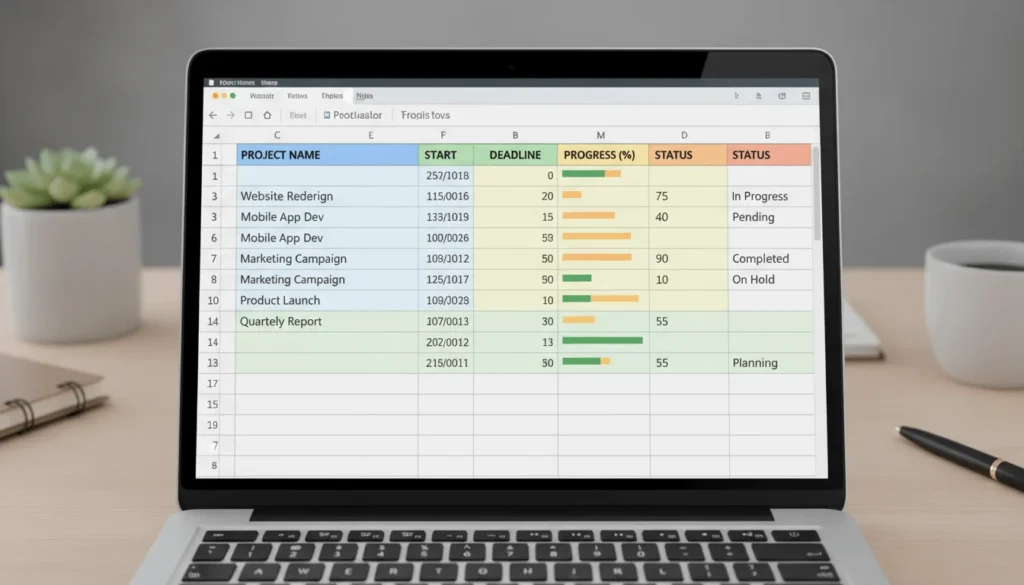
How Do You Organize Data Effectively as a Beginner?
Good data organization is a skill that separates average data entry workers from great ones. Here are data entry organization techniques for beginners:
- Use consistent naming conventions for files (e.g., “ClientName_ProjectType_Date”)
- Keep separate folders for each client or project
- Use spreadsheet headers clearly to label each column
- Color-code categories if working in Excel or Google Sheets
- Save versions regularly to avoid losing progress
- Use templates when doing repetitive tasks — create once, reuse forever
What Daily Habits Build Data Entry Speed and Focus?
Building speed is not about working harder — it’s about practicing smarter. A daily routine to master data entry skills should include:
- 10–15 minutes of typing practice every morning using a typing tool
- One session of spreadsheet practice per day (entering, sorting, filtering data)
- Timed data entry exercises — set a timer and see how much you can enter in 5 minutes
- Short focus sessions (25–30 minutes of deep work, then a 5-minute break using the Pomodoro technique)
- Weekly review of your accuracy and speed scores to track progress

Is Attention to Detail the Most Important Data Entry Skill?
It is one of the most important — possibly the most critical. Here’s why: in data entry, a single wrong number or misplaced comma can corrupt an entire dataset. Clients depend on you to deliver accurate information, not just fast information.
Attention to detail includes:
- Catching typos in long rows of data
- Noticing when a number looks out of place
- Verifying that names, dates, and codes match source documents
- Checking for formatting inconsistencies across columns
You can practice this skill by working with real datasets (freely available on sites like Kaggle or Data.gov) and doing accuracy challenges.
How Long Does It Take to Master Basic Data Entry Techniques?
With consistent daily practice, here is a realistic timeline:
| Milestone | Timeframe |
| Reach 40 WPM typing speed | 2–4 weeks of daily practice |
| Learn basic spreadsheet skills | 1–2 weeks |
| Complete first beginner data entry project | 1 month |
| Land first paid freelance gig | 1–3 months |
| Build a solid beginner portfolio | 3–6 months |
Everyone’s pace is different. The key is not speed of learning — it is consistency. Ten minutes every day beats three hours once a week.
📌 Internal Link: How to Start Freelancing in 2026: Your Ultimate Success Guide
Conclusion: Build Your Skills, Build Your Future
Data entry is not glamorous. But it is real, learnable, and genuinely beginner-friendly. If you approach it with patience and a growth mindset, it can be your first honest step toward earning online from home.
You now have everything you need to get started:
- The skills to focus on
- The free tools to practice with
- Realistic income expectations
- A clear path from zero to your first client
Start small. Practice daily. Stay consistent. The results will come — not overnight, but steadily and surely.
➡️ Start learning today. One skill at a time. One step at a time.

📌 Related Reads on StartEarners.online:
- How to Build Freelancing Skills from Scratch
- Best Beginner-Friendly Platforms to Find Online Work
- Time Management Tips for Remote Workers
- How to Create a Simple Freelancer Portfolio with No Experience
Published on StartEarners.online — Helping beginners earn online the right way.