

Contents
- 1 Introduction
- 2 What Exactly Are Online Data Entry Jobs?
- 3 Can You Really Start Online Data Entry Jobs with No Experience?
- 4 What Skills Do You Need for Remote Data Entry Work?
- 5 How to Practice Data Entry Skills at Home
- 6 What Software Tools Are Essential for Data Entry Work?
- 7 How Many Hours Per Day Can You Realistically Work in Data Entry?
- 8 What Is the Realistic Daily Earning Potential in Data Entry Jobs?
- 9 How to Find Legit Online Data Entry Work
- 10 How Do You Build a Portfolio for Data Entry Beginners?
- 11 Common Mistakes Beginners Make (And How to Avoid Them)
- 12 Time Management for Data Entry Freelancers
- 13 FAQs: Your Top Questions Answered
- 13.1 Q: What is data entry and what tasks does it involve?
- 13.2 Q: Can I start online data entry jobs with no experience?
- 13.3 Q: What typing speed is required for data entry jobs?
- 13.4 Q: Which free skills should I learn for online data entry?
- 13.5 Q: How do I practice data entry skills at home?
- 13.6 Q: What software tools are essential for data entry work?
- 13.7 Q: How many hours per day can I realistically work in data entry?
- 13.8 Q: Is data entry work available for beginners in Uganda?
- 13.9 Q: How do I improve accuracy in data entry tasks?
- 13.10 Q: What are common mistakes beginners make in data entry?
- 13.11 Q: How long does it take to earn from online data entry jobs?
- 13.12 Q: Are there free training resources for data entry beginners?
- 14 Your Next Steps: A 30-Day Action Plan
- 15 Conclusion: Start Today, Stay Consistent
Introduction
Let’s be honest with each other for a moment.
You’re here because somewhere, somehow, you saw an ad promising that you can “make $5,000 a month just by typing from home” or “quit your 9-to-5 with this one simple data entry trick.”
I’ve seen those ads too. And I’m not going to lie to you—they’re mostly designed to sell you a dream, not a real skill.
But here’s what I can tell you with complete honesty: online data entry jobs are one of the most accessible, beginner-friendly ways to start earning real money from anywhere in the world. Whether you’re sitting in a small apartment in New York, a quiet suburb in London, or a growing city in Uganda, this path is open to you.
The catch? It requires patience, consistency, and a willingness to learn.
This guide isn’t about hype. It’s about the real, step-by-step process of going from complete beginner to confident earner. By the end, you’ll know exactly what skills to build, where to find legitimate work, how much you can realistically expect to earn, and—most importantly—how to avoid the scams and mistakes that trap most beginners.
Let’s get started.
What Exactly Are Online Data Entry Jobs?
Before we dive into how to start, let’s make sure we’re all on the same page about what online data entry jobs actually involve.
When most people hear “data entry,” they imagine someone sitting in a dark room, typing endlessly into a spreadsheet for hours. And yes, that’s part of it. But modern data entry has evolved into a much broader field with diverse opportunities.
The Core Tasks You’ll Encounter
| Task Type | Description | Skill Level Required |
|---|---|---|
| Data Capturing | Inputting information from physical documents, PDFs, or images into digital systems like Excel or Google Sheets. | Beginner |
| Spreadsheet Management | Organizing, sorting, filtering, and updating data in spreadsheets. May include basic formulas like SUM, AVERAGE, or VLOOKUP. | Beginner–Intermediate |
| Data Cleansing | Reviewing databases to correct errors, remove duplicate entries, or update outdated information. Requires attention to detail. | Beginner–Intermediate |
| Online Form Filling | Completing surveys, questionnaires, or product listing forms for e-commerce stores, real estate companies, or market research firms. | Beginner |
| Audio Transcription | Listening to audio recordings (meetings, interviews, podcasts) and typing what you hear. Requires good listening skills and typing accuracy. | Intermediate |
| Image to Text Conversion | Extracting text from scanned documents, handwritten notes, or images using OCR tools, then verifying and correcting the output. | Beginner |
| Data Processing | Taking raw data and organizing it into a structured format for analysis or reporting. Often used by marketing agencies, research firms, and corporate clients. | Intermediate |

Can You Really Start Online Data Entry Jobs with No Experience?
This is the question I get asked more than any other.
And the answer is: Yes, absolutely.
Most data entry jobs for beginners no experience don’t require a university degree, coding knowledge, or years of work history. What they do require is:
- Basic computer literacy
- Willingness to learn
- Attention to detail
- Consistency
Think about it this way: every professional typist, every successful freelance data entry specialist, every virtual assistant who now earns a full-time income—they all started exactly where you are right now.
The key difference is that they didn’t wait to “feel ready.” They started building skills, one small step at a time.
Best Online Jobs for Students: The Ultimate Beginner’s Guide to Earning While You Learn (2026)
What Skills Do You Need for Remote Data Entry Work?
You don’t need to be an expert on day one. But building these core data entry skills will dramatically increase your chances of landing quality work—and getting paid more for it.
1. Typing Speed and Accuracy
Let’s address the elephant in the room: how fast do you actually need to type?
While there’s no universal rule, most clients and platforms look for a typing speed of 40–60 words per minute (WPM) with an accuracy rate of 95% or higher.
- If you’re below 40 WPM: Don’t panic. Many beginner-friendly tasks (like form filling or data cleansing) prioritize accuracy over speed. You can start there while practicing.
- If you’re above 60 WPM: You’re in a great position to target higher-paying transcription or data processing gigs.
How to measure your speed: Use free tools like 10fastfingers.com or Typing.com to test yourself.
2. Software and Tools Knowledge
You don’t need to be an Excel wizard, but knowing the basics will set you apart.
Essential tools to learn for data entry earning:
| Tool | What You Need to Know | Where to Learn (Free) |
|---|---|---|
| Google Sheets | Entering data, sorting columns, basic formulas, sharing sheets. | Google’s own training; YouTube tutorials |
| Microsoft Excel | Data entry, formatting, sorting, filtering, simple functions. | GCFGlobal, Excel Easy |
| Google Drive/Dropbox | Uploading, organizing, and sharing files securely. | Platform help centers |
| Trello/Asana | Managing tasks and deadlines as a freelancer. | Platform tutorials |
3. Attention to Detail
This is your superpower. Seriously.
One wrong digit can throw off an entire client database. One misspelled word can make a business look unprofessional. Employers and clients pay a premium for accuracy.
How to develop this skill: Start with small, high-accuracy tasks. Double-check every entry. Use keyboard shortcuts to reduce errors. Take breaks to maintain focus.
4. Communication and Time Management
When you work remotely, you’re your own manager.
You’ll need to:
- Respond to client messages promptly
- Set realistic deadlines
- Deliver work on time
- Ask clarifying questions when instructions are unclear
These soft skills are often what separate freelancers who get repeat clients from those who struggle to find consistent work.
15 Remote Jobs You Can Do From Home in 2026 (Beginner’s Honest Guide)
How to Practice Data Entry Skills at Home
You don’t need to wait for a job to start practicing. In fact, building skills before you start applying gives you a massive advantage.
Here’s a simple 4-step practice plan:
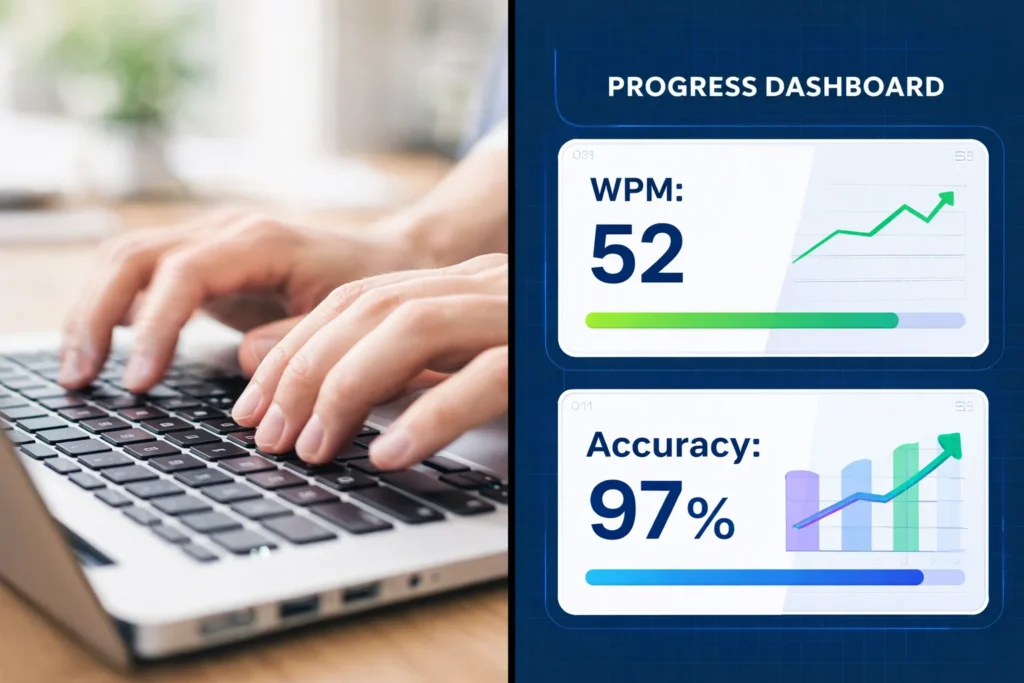
Step 1: Improve Your Typing Speed
- Spend 15–20 minutes daily on TypingClub.com or Keybr.com
- Aim to increase your WPM by 5–10 points over 30 days
Step 2: Learn Excel Basics
- Download free practice datasets from Contextures.com
- Learn: data entry, sorting, filtering, SUM, AVERAGE, COUNT
Step 3: Simulate Real Projects
- Create a sample project: “Product Inventory for an Online Store”
- Enter 50–100 product entries with names, prices, categories, and stock levels
- Share this in your portfolio to show potential clients
Step 4: Take Free Online Training
Platforms like GCFGlobal, Coursera, and YouTube offer free courses on data entry fundamentals.
What Software Tools Are Essential for Data Entry Work?
If you want to be taken seriously by clients, you need to be comfortable with the tools they use.
Here’s a breakdown of the most common software you’ll encounter:
| Tool | Purpose | Skill Level | Cost |
|---|---|---|---|
| Google Sheets | Spreadsheet creation, collaboration, basic data analysis | Beginner | Free |
| Microsoft Excel | Advanced spreadsheets, formulas, pivot tables | Beginner–Intermediate | Paid (free alternatives available) |
| Google Drive | Cloud storage, file sharing | Beginner | Free |
| Trello | Task management for freelance projects | Beginner | Free |
| Slack | Client communication | Beginner | Free |
| Zoho Creator | Building simple databases and forms | Intermediate | Freemium |
Pro tip: Even if you don’t own Microsoft Excel, you can learn it using the free web version or practice in Google Sheets (which has similar functionality).
25 Online Jobs That Pay Beginners in 2026 (No Experience Needed)
How Many Hours Per Day Can You Realistically Work in Data Entry?
Let’s talk about sustainability.
As a beginner, the goal isn’t to work 12-hour days and burn out. The goal is to build a routine that you can maintain long-term.
Beginner Schedule (First 3 Months)
- 2–4 hours per day
- Focus: skill-building, applying for jobs, completing small gigs
- Expected outcome: steady side income, building confidence
Intermediate Schedule (3–12 Months)
- 4–6 hours per day
- Focus: taking on bigger projects, managing multiple clients
- Expected outcome: reliable monthly income
Full-Time Schedule (6+ Months)
- 6–8 hours per day
- Focus: consistent client work, higher rates, potential specialization
- Expected outcome: full-time income
Important: Data entry requires concentration. Staring at a screen for hours without breaks leads to eye strain, fatigue, and mistakes. Use the Pomodoro Technique—25 minutes of focused work, followed by a 5-minute break.
Online Skills Beginners Can Learn in 2026 (A Realistic Step-by-Step Guide)
What Is the Realistic Daily Earning Potential in Data Entry Jobs?
Let’s get specific about money.
Earnings in online data entry jobs vary based on:
- Your typing speed and accuracy
- The complexity of tasks
- The platform you use
- Your location and experience
Here’s a realistic breakdown:
| Experience Level | Average Hourly Rate (USD) | Typical Monthly Earnings (Part-Time) | Typical Monthly Earnings (Full-Time) |
|---|---|---|---|
| Beginner (0–3 months) | $3 – $8 | $150 – $600 | $500 – $1,200 |
| Intermediate (3–12 months) | $8 – $15 | $600 – $1,200 | $1,500 – $2,500 |
| Experienced (1+ years, niche skills) | $15 – $25+ | $1,200 – $2,500+ | $2,500 – $4,500+ |
Important: These are realistic ranges, not guarantees. Your actual earnings will depend on consistency, skill development, and how effectively you find and retain clients.
The mindset shift: Instead of asking “How much can I make per day?”, ask “How much value can I deliver per hour?” The money follows the value.
Top 10 Legit Online Jobs You Can Do From Home in 2026 — The Ultimate Beginner’s Guide
How to Find Legit Online Data Entry Work
Now we get to the part everyone cares about: where to actually find work.
One of the biggest fears beginners have is falling for scams. And yes, scams exist. But with the right approach, you can avoid them entirely.
Platform 1: Freelance Marketplaces
These are the safest places to start because they offer payment protection and dispute resolution.
| Platform | Best For | Pros | Cons |
|---|---|---|---|
| Upwork | Long-term clients, higher rates | Payment protection, professional client base | Competitive for beginners |
| Fiverr | Selling specific services (e.g., “I will clean 500 Excel rows”) | Set your own prices, low barrier to entry | Takes time to get first orders |
| Freelancer.com | Bidding on projects | Large volume of jobs | High competition |
| PeoplePerHour | Hourly or project-based work | Good for UK/EU freelancers | Smaller platform |
Platform 2: Micro-Task Websites
These are excellent for absolute beginners who want to practice and earn small amounts while building confidence.
- Clickworker: Short data entry, web research, and categorization tasks.
- Amazon Mechanical Turk (MTurk): Micro-tasks like data validation, form filling, and image categorization.
- Appen: Data annotation, transcription, and entry projects (often long-term).
Platform 3: Remote Job Boards
If you prefer a traditional job structure with fixed hours, these boards list full-time and part-time remote data entry roles.
- We Work Remotely
- Remote.co
- FlexJobs (paid, but curated and scam-free)
- Remotive
How to Spot and Avoid Scams
Red flags to watch for:
- Upfront payment required to “access jobs”
- Guarantees of “$5,000 per week”
- Vague job descriptions with no details
- Clients who want to communicate outside the platform before hiring
Golden rule: If it sounds too good to be true, it probably is. Legitimate work requires effort, and legitimate clients pay for value delivered.
How Do You Build a Portfolio for Data Entry Beginners?
“But I don’t have experience—how can I build a portfolio?”
This is a common concern, but it’s easier than you think.
Step 1: Create Sample Projects
You don’t need paid work to demonstrate your skills. Create 2–3 sample projects that show what you can do.
Example projects:
- “Product Inventory Database” – 100 entries with categories and pricing
- “Client Contact List” – Clean, organized spreadsheet with formatting
- “Survey Data Summary” – Raw data converted into a clean report
Step 2: Document Your Skills
Create a simple one-page PDF that includes:
- Your typing speed (tested on 10fastfingers.com)
- Software proficiency (Excel, Sheets, etc.)
- Links to your sample projects (upload to Google Drive)
- A short bio about your commitment to accuracy and deadlines
Step 3: Add Testimonials as You Go
When you complete your first few jobs (even small ones), ask clients for a short testimonial. These build trust with future clients.
Common Mistakes Beginners Make (And How to Avoid Them)
Let’s learn from others so you don’t have to make the same mistakes.
Mistake 1: Applying Without Reading Job Details
I’ve seen beginners apply for “advanced Excel” jobs when they only know basic data entry. This wastes your time and annoys clients.
Solution: Only apply for jobs where you genuinely meet the requirements.
Mistake 2: Underpricing Your Work
Some beginners offer extremely low rates to get hired. This attracts low-quality clients who don’t respect your time.
Solution: Start with competitive rates for your skill level. You can increase rates as you gain experience and testimonials.
Mistake 3: Ignoring Software Skills
You can earn with basic data entry, but learning Excel formulas, Google Sheets functions, or transcription tools opens up higher-paying opportunities.
Solution: Dedicate 1 hour per week to learning a new tool or skill.
Mistake 4: Working Without Clear Agreements
Never start work without agreeing on:
- Scope of work
- Deadline
- Payment amount and method
Solution: On platforms like Upwork, this is built in. Off-platform, use simple contracts or written agreements.
Mistake 5: Giving Up Too Soon
The first week or two might be slow. You might not land a job immediately. This is normal.
Solution: Focus on building skills while applying. Consistency over intensity.
Time Management for Data Entry Freelancers
Working from home sounds great—until you realize you’re competing with laundry, social media, and Netflix.
Here’s a simple system that works:
Create a Dedicated Workspace
Even if it’s just a corner of your room, have a space you associate with work.
Set Specific Work Hours
“I’ll work from 9 AM to 12 PM” is better than “I’ll work sometime today.”
Use the Pomodoro Technique
25 minutes work, 5 minutes break. Repeat 4 times, then take a longer break.
Track Your Time
Use free tools like Toggl to see where your time goes.
Batch Similar Tasks
Do all your job applications in one block. Do all your data entry in another. Switching tasks constantly kills productivity.
FAQs: Your Top Questions Answered
Q: What is data entry and what tasks does it involve?
A: Data entry involves inputting, organizing, cleaning, or processing digital information. Tasks include spreadsheet management, form filling, data capturing, transcription, and database updating.
Q: Can I start online data entry jobs with no experience?
A: Yes. Start by building basic skills (typing, Excel) and practicing on free platforms. Many micro-task sites accept absolute beginners.
Q: What typing speed is required for data entry jobs?
A: Most clients look for 40–60 WPM with 95%+ accuracy. Speed improves with practice.
Q: Which free skills should I learn for online data entry?
A: Typing, Google Sheets/Microsoft Excel basics, file management (Google Drive), and attention to detail.
Q: How do I practice data entry skills at home?
A: Use Typing.com for typing practice, GCFGlobal for Excel tutorials, and create sample projects like product inventories or client lists.
Q: What software tools are essential for data entry work?
A: Google Sheets, Microsoft Excel, Google Drive, and basic communication tools like email or Slack.
Q: How many hours per day can I realistically work in data entry?
A: Beginners can start with 2–4 hours per day. Full-time work (6–8 hours) is achievable after building speed and consistency.
Q: Is data entry work available for beginners in Uganda?
A: Absolutely. Remote data entry is location-independent. Beginners from Uganda, Kenya, Nigeria, and across Africa earn through Upwork, Clickworker, and other global platforms.
Q: How do I improve accuracy in data entry tasks?
A: Double-check entries, use keyboard shortcuts, take breaks to maintain focus, and create a checklist for repetitive tasks.
Q: What are common mistakes beginners make in data entry?
A: Applying without reading job details, underpricing, ignoring software skills, working without agreements, and giving up too soon.
Q: How long does it take to earn from online data entry jobs?
A: Many beginners earn their first payment within 1–4 weeks. Consistent income typically builds over 3–6 months.
Q: Are there free training resources for data entry beginners?
A: Yes. GCFGlobal, TypingClub, Excel Easy, and YouTube offer excellent free training.
Your Next Steps: A 30-Day Action Plan
Here’s a simple plan to go from zero to earning in 30 days.
Week 1: Skill Building
- Test your typing speed (10fastfingers.com)
- Complete beginner Excel tutorials (GCFGlobal)
- Create sample projects
Week 2: Platform Setup
- Create profiles on Upwork and Fiverr
- Write a simple bio highlighting your skills
- Upload your sample projects
Week 3: First Applications
- Apply to 5–10 beginner-friendly jobs daily
- Start with micro-task sites like Clickworker for practice
- Focus on jobs matching your current skill level
Week 4: Earn and Iterate
- Complete your first paid tasks
- Ask for feedback and testimonials
- Note what worked and refine your approach
Conclusion: Start Today, Stay Consistent
You now have everything you need to begin your journey into online data entry jobs.
This isn’t a get-rich-quick path. It’s a real, legitimate way to build skills, gain independence, and earn income from anywhere in the world. The difference between those who succeed and those who don’t comes down to one thing: starting.
Not waiting until you feel ready. Not waiting for the perfect opportunity. Starting today, with what you have, where you are.

Pick one thing from this guide—whether it’s testing your typing speed, creating your first sample project, or setting up an Upwork profile—and do it today.
If you’re ready to build a solid foundation, StartEarners.online is here to guide you every step of the way. Explore our other resources, keep learning, and remember: consistency beats intensity every time.
Ready to build real skills? Read our guide on [freelancing skills for beginners] and take your next step toward earning online the right way.
10 Online Survey Jobs: The Complete Beginner’s Guide to Earning the Right Way (2026)