

Let’s be real for a second.
You’ve probably heard the buzz about AI so many times that it’s starting to sound like a broken record. “AI will change your life!” “AI is taking over the world!” “AI can write your wedding vows!” (Okay, maybe not the last one, but give it time.)
Honestly? I used to roll my eyes at every new “game-changing” tool that popped up. I thought AI was just for coders, tech nerds, or people who drink kale smoothies while debugging Python. But then, something unexpected happened.
I hit a wall.
Between answering emails, formatting spreadsheets, and trying to remember my own Netflix password, I was drowning in digital clutter. That’s when I finally caved and tested a few AI tools for beginners.
And wow—I felt like I’d discovered fire.
By the way, you don’t need a PhD in computer science to use these. In fact, if you can copy-paste and type a sentence that makes half-sense, you’re already overqualified.
Let’s dive in. I’m going to walk you through the best AI tools for beginners that’ll save you hours every week. No jargon. No fluff. Just simple apps that work like a charm.
Contents
- 1 Why Most Beginners Get AI Wrong (And How to Avoid the Trap)
- 2 The Holy Trinity of AI Tools for Absolute Beginners
- 3 The “I Can’t Believe This Is Free” Category
- 4 Niche AI Tools That Solve One Annoying Problem Really Well
- 5 How to Pick the Right AI Tool for You (Without Getting Overwhelmed)
- 6 Expert-Backed Tips to Get the Most Out of AI (From Someone Who Learned the Hard Way)
- 7 Frequently Asked Questions (Because You’re Smart to Ask)
- 8 My Final Take (Unfiltered, Honest, and a Little Sappy)
- 9 Your Turn – Let’s Talk!
Why Most Beginners Get AI Wrong (And How to Avoid the Trap)
Before we jump into the list, let me share a quick story.
My first attempt at using AI was a disaster. I opened ChatGPT, typed “Write me a business plan”, and got back something so generic it could’ve been written by a sleepy robot. I closed the tab and muttered, “This is useless.”
But here’s the thing: I was the problem, not the AI.
Think of AI like a puppy. If you just shout “DO SOMETHING!” it’ll tilt its head and pee on the rug. But if you say “Sit”, “Stay”, or “Write a funny Instagram caption for my coffee shop”, it’ll wag its tail and deliver.
The trick is learning how to ask. And the tools below are designed for absolute beginners, so you’ll be asking like a pro in no time.
The Holy Trinity of AI Tools for Absolute Beginners
If you only try three tools today, make it these. They’re the peanut butter, jelly, and bread of the AI world—simple, reliable, and ridiculously useful.
1. ChatGPT – Your Swiss Army Knife for Words
Okay, let’s address the elephant in the room. You’ve heard of ChatGPT. But have you actually used it to save time?
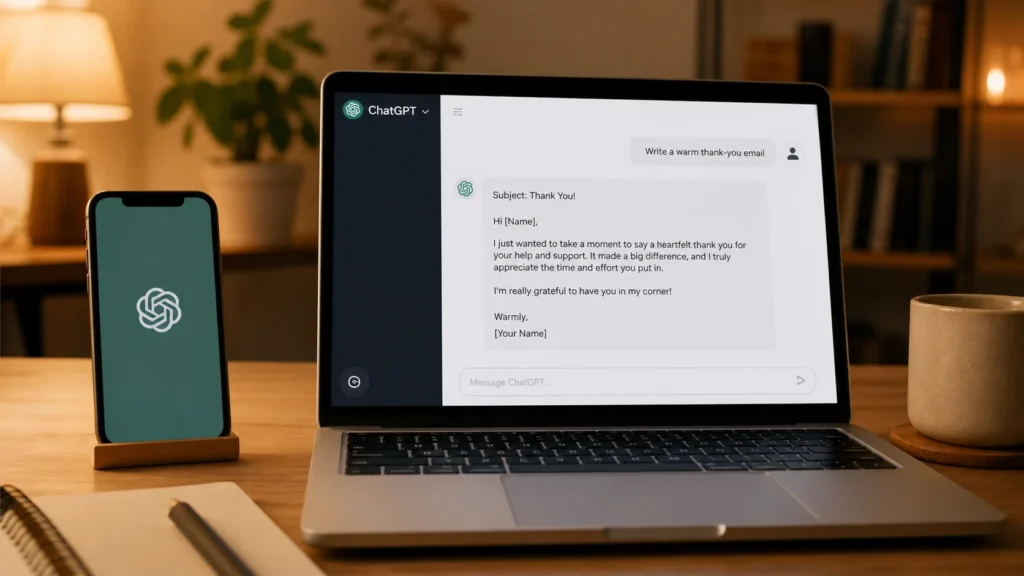
Here’s my personal example. Last week, I needed to write a thank-you email to 20 clients. Normally, that’d take me an hour of overthinking every comma. Instead, I typed into ChatGPT:
“Write a warm, professional thank-you email for clients. Keep it under 100 words. Sound grateful but not cheesy.”
Boom. Seven seconds later, I had a draft. I tweaked two sentences, hit send, and saved myself 53 minutes. That’s the time I used to watch a cat video. No regrets.
Why beginners love it:
- Free version works great for 95% of tasks.
- No setup—just open a browser.
- You can ask it to explain things like you’re five years old. (Try it: “Explain SEO like I’m a golden retriever. ”)
Pro tip: Be specific. Instead of “Write a blog post”, try “Write a short, funny blog post for beginners about saving time with AI. Use emojis and short sentences.”
2. Canva’s AI Features – For the Design-Challenged (Like Me)
I have the artistic talent of a potato. Seriously, my stick figures look diseased. That’s why Canva’s AI tools felt like cheating.
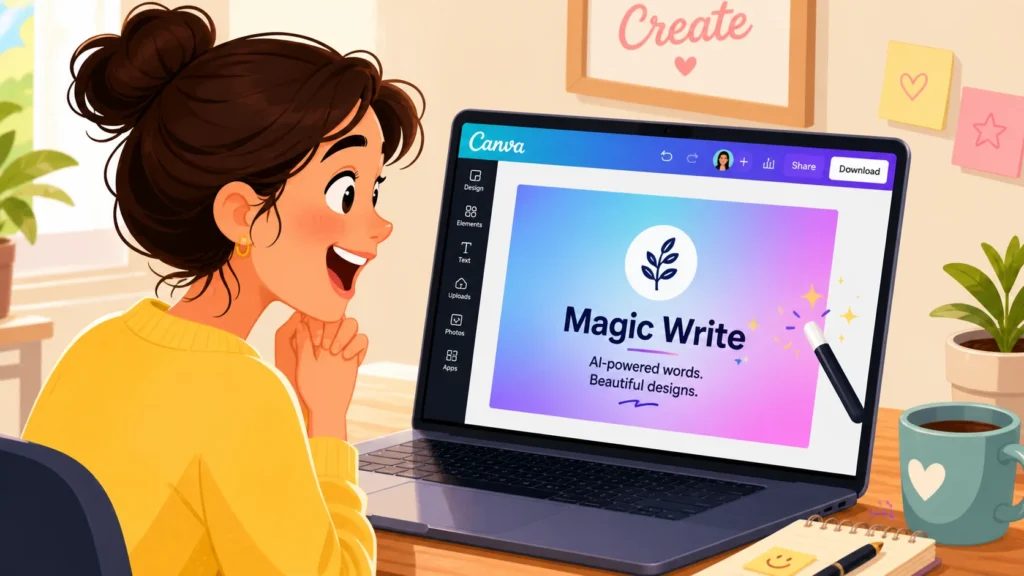
Canva has this feature called “Magic Write” (for text) and “Text to Image” (for graphics). You type something like “a calm blue gradient background with tiny stars” and—poof—it appears.
Last month, I needed a thumbnail for a YouTube video. Normally, I’d spend two hours wrestling with fonts. With Canva AI? Ten minutes. Including a coffee break.
What it saves you from:
- Buying expensive design software.
- Watching hours of Photoshop tutorials.
- Creating ugly graphics that hurt your brand’s eyes.
Beginner-friendly? Absolutely. Canva feels like training wheels for design—safe, colourful, and hard to mess up.
3. Otter.ai – The Meeting Ninja You Didn’t Know You Needed
Raise your hand if you’ve ever sat through a 45-minute meeting only to forget every action item five minutes later. 🙋♂️
Otter.ai is like that annoyingly attentive friend who takes perfect notes while you doodle. You invite it to your Zoom or Google Meet, and it transcribes everything in real time. Then it sends you a summary with highlights.
I used to jot down notes frantically while pretending to listen. Now I just let Otter do the heavy lifting. The best part? It’s free for up to 300 transcription minutes per month. That’s a lot of meetings you can mentally check out of.
Honestly, this tool alone is worth the price of admission (which is zero dollars, by the way). If you’re a student, a freelancer, or anyone who sits through hour-long calls, Otter is non-negotiable.

The “I Can’t Believe This Is Free” Category
Let’s shift gears. Some AI tools feel so premium that you double-check the pricing page expecting a hidden fee. But nope—these gems are either completely free or have generous free tiers that’ll last you months.
4. Grammarly – The Shame Speller’s Best Friend
I’ll admit something embarrassing. Before Grammarly, I sent an email to my boss that read “Attached are the report’s” (apostrophe catastrophe). He didn’t fire me, but I saw his eye twitch.
Grammarly’s free AI proofreader catches typos, awkward phrasing, and even your tone. Are you coming off angry? Too excited? Like a robot? Grammarly waves a little flag.
Why it’s for beginners:
- Works everywhere—email, Google Docs, social media.
- No learning curve. You just write, and it underlines mistakes like a helpful ghost.
- The free version is plenty for most people.
Funny story: My wife once used Grammarly to check a text she sent me. It suggested changing “K” to “Okay” for a warmer tone. She still uses “K” to annoy me. Some things AI can’t fix.
5. Copy.ai – For When You Have Writer’s Block but a Deadline
Imagine you’re staring at a blank screen. You need 10 Instagram captions, 5 subject lines, and a LinkedIn post about “synergy”. Your brain is soup.
Copy.ai is like having a chatty copywriter in your pocket. You give it a topic—say, “organic dog treats”—and it spits out a dozen variations. Most will be decent. Some will be hilarious. And one or two will be gold.
I used Copy.ai to write a product description for a friend’s Etsy shop. She sold out in two days. Coincidence? Maybe. But I’m taking credit.
Best for: Social media posts, email subject lines, ad copy, and brainstorming.
Niche AI Tools That Solve One Annoying Problem Really Well
Now we’re getting into the fun stuff. These apps don’t try to do everything. They do one thing, and they do it like a boss.
6. Remove.bg – Delete Backgrounds in One Click
Have you ever tried to remove a background in Photoshop? It’s like performing surgery with oven mitts.
Remove.bg is a stupidly simple AI tool. You upload a photo, and it instantly erases the background, leaving just the person or object. No green screen. No manual outlining.
I once used it to create headshots for a team page. Twenty photos, twenty seconds. My designer friend cried happy tears.
Cost: Free for low-res images. Paid for HD. But honestly? The free version works for 90% of my needs.
H3: 7. Notion AI – For Organization Nerds (Or Wannabe Nerds)
Notion itself is a productivity beast. Throw AI into the mix? Now you’re cooking with jet fuel.
Notion AI can summarise long notes, fix your grammar, translate text, or even generate a to-do list from a rambling paragraph. It’s built right into your workspace, so you don’t have to juggle tabs.
Here’s how I use it: After a brainstorming session, I dump all my messy thoughts into Notion. Then I click “Summarise”, and it organises my chaos into clean bullet points. It’s like hiring a tiny, invisible assistant who works for digital high-fives.
Beginner tip: Notion can feel overwhelming at first. Start with a simple “To-Do List” template, then explore the AI features slowly. Rome wasn’t built in a day, and neither is your perfect dashboard.
How to Pick the Right AI Tool for You (Without Getting Overwhelmed)
By now, you might be thinking, “This is great, but where the heck do I start?”
I’ve been there. The temptation is to download ten apps, open twelve tabs, and then pass out from decision fatigue. Don’t do that.
Instead, ask yourself three questions:
- What’s the one task that makes me groan every week? (For me, it was emails and meeting notes.)
- Do I want free or paid? Most free tools are powerful enough for beginners.
- Am I willing to spend 10 minutes learning? That’s it. Just ten minutes.
Pick one tool from this list. Use it for a week. Then add a second. Slow and steady wins the race and saves the sanity.
Expert-Backed Tips to Get the Most Out of AI (From Someone Who Learned the Hard Way)
Let me save you some headaches. After months of trial and error (and accidentally asking ChatGPT to write “a poem about Excel spreadsheets” for no reason), I’ve found a few golden rules.
Rule #1: Always, always proofread.
AI is brilliant but not perfect. It might invent facts (we call those “hallucinations” in the biz) or get a little too creative. Treat AI like a smart intern—great for drafts, but bad for final sign-off without a human eyeball.
Rule #2: Be weirdly specific.
Instead of “Write a recipe”, try “Write a vegetarian pasta recipe that takes under 20 minutes and uses common pantry ingredients.” The more context, the better the output.
Rule #3: Don’t pay for what you don’t need.
So many beginners buy premium plans out of FOMO. Start free. Upgrade only when you hit a limit that actually bothers you.
Rule #4: Have fun with it.
Seriously. Ask AI to rewrite your grocery list as a Shakespearean sonnet. Generate a picture of a sloth wearing sunglasses. The more you play, the more you’ll understand how to get serious work done.
Frequently Asked Questions (Because You’re Smart to Ask)
Let’s knock out the common questions so you can get back to saving time.
Q: Are AI tools safe to use for sensitive work?
A: Good question. Most reputable tools (ChatGPT, Grammarly, and Otter) have strong privacy policies, but avoid pasting passwords, credit card numbers, or trade secrets into free versions. Use common sense—treat them like public Wi-Fi.
Q: Which AI tool is absolutely the best for complete beginners?
A: If I had to pick one? ChatGPT. It’s free, conversational, and can help with writing, brainstorming, coding, recipes, and even emotional support (“Write a pep talk for someone who just spilt coffee on their shirt”). It’s the ultimate gateway drug to AI.
Q: Can AI truly save me time, or is it hype?
A: Look, I was a sceptic too. But after tallying my hours, I save about 5–7 hours a week using these tools. That’s a full workday. You could nap, learn a hobby, or finally watch that show everyone’s been talking about. The time savings are real—if you use the right tool for the right job.
Q: Will AI replace my job?
A: Unlikely. Think of AI as a power tool, not a replacement. A saw doesn’t replace a carpenter; it makes them faster. Similarly, AI handles repetitive tasks so you can focus on creative, strategic, human work. The people who’ll thrive are the ones who learn to delegate to AI, not fear it.
My Final Take (Unfiltered, Honest, and a Little Sappy)
If you’ve made it this far, you’re officially ahead of the curve. Most people hear “AI tools for beginners” and their eyes glaze over. But you? You’re curious. You’re willing to try. And that alone puts you in the top 10% of humans trying to work smarter, not harder.
Let me leave you with this.
A year ago, I was that person who said, “AI isn’t for me.” Today, I use at least five AI tools every single day. Not because I’m a tech guru—I still can’t figure out why my printer screams at me—but because these apps make my life genuinely easier. They buy me time. And time, my friend, is the only thing you can’t buy more of.
So go ahead. Open ChatGPT. Play with Canva. Invite Otter to your next boring meeting. You might mess up a few times. You might get weird results. But you’ll also discover a superpower that’s been hiding in plain sight.
And when you save your first hour? Celebrate. You’ve earned it.
Your Turn – Let’s Talk!
Now I want to hear from you.
Have you tried any AI tools for beginners? Did one save your bacon on a tight deadline? Or are you still on the fence, worried it’ll be too complicated?
judgement,Drop a comment below with your biggest time-wasting task. I’ll personally reply with which AI tool you should try first. No judgment, no tech-shaming—just real talk from someone who’s been there.
And if this post helped you? Share it with a friend who still types “www.google.com” into their browser. They need this more than you know.
Until next time, work smarter, laugh often, and let the robots handle the boring stuff.