
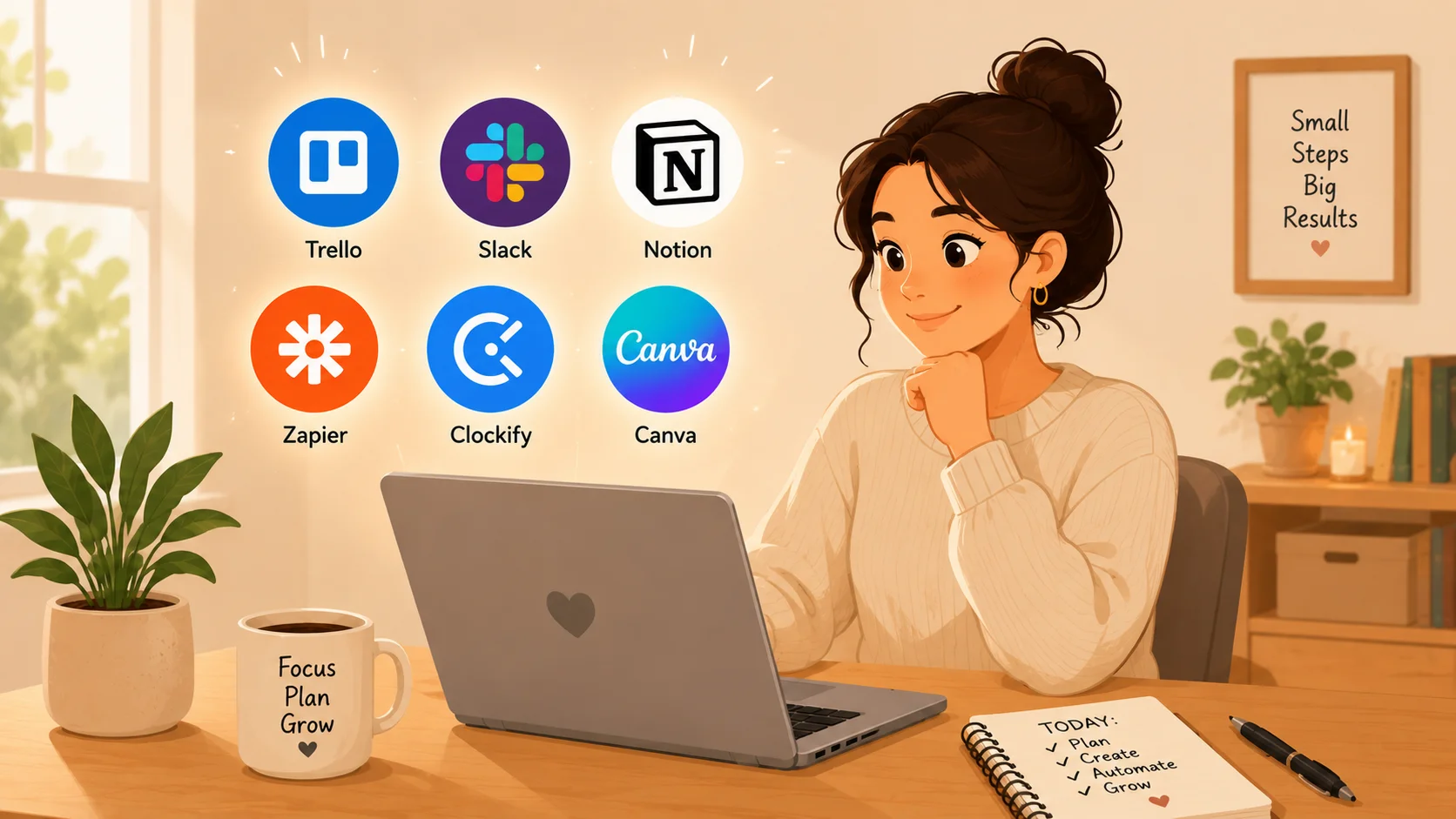
Let me paint you a picture.
It’s 8:47 AM. You’ve already answered twelve emails, spilt coffee on your to-do list, and forgotten to invoice a client from last month. Your phone is buzzing. Slack is screaming. And somewhere in the distance, a printer is crying for help.
Sound familiar?
I’ve been there. Heck, I live there some weeks. Running a small business feels less like being a CEO and more like being a firefighter in a building made of wet cardboard.
But here’s the thing I learned the hard way: you don’t need more hours. You need better tools.
By the way, I’m not talking about expensive enterprise software that requires a consultant and a blood sacrifice to install. I’m talking about smart, simple, affordable productivity tools that streamline your workflow so you can actually work on your business, not just in it.
Let’s dive in. Your future calm self will thank you.
Contents
- 1 Why Small Business Workflow Feels Broken (And How to Fix It)
- 2 6 Smart Productivity Tools to Streamline Your Small Business Workflow
- 2.1 1. Trello – Your Visual Brain for Every Project
- 2.2 2. Slack – Kill Email Before It Kills You
- 2.3 3. Notion – The All-in-One Workspace That Replaces 5 Apps
- 2.4 4. Zapier – The Glue That Connects Everything
- 2.5 5. Clockify – Track Time Without Losing Your Mind
- 2.6 6. Canva – Stop Hiring Designers for Every Little Thing
- 3 How to Implement These Tools Without Overwhelming Your Team
- 4 Frequently Asked Questions (Because You’re Busy)
- 5 My Unfiltered Final Advice
- 6 Your Turn – Let’s Streamline Your Workflow Together
Why Small Business Workflow Feels Broken (And How to Fix It)
Before we get to the tools, let’s name the enemy.
It’s not laziness. It’s not that you’re bad at your job. It’s context switching — that horrible mental gymnastics of jumping between email, spreadsheets, client messages, and accounting every three minutes.
According to a guide from Microsoft’s AI curriculum, the average small business owner switches tasks every 2.5 minutes. That’s like trying to read a book while someone changes the channel constantly.
The fix? You don’t need more discipline. You need automation and organisation. You need tools that talk to each other so you don’t have to.
Think of your workflow like a pipe. Right now, it’s full of kinks and leaks. These six tools are your plumbing. Let’s unclog this thing.
6 Smart Productivity Tools to Streamline Your Small Business Workflow
I’ve tested dozens of apps. Some were amazing. Some made me want to throw my laptop into a river. The six below? They’re the keepers.
1. Trello – Your Visual Brain for Every Project
I have the memory of a goldfish on vacation. Seriously, if I don’t write something down, it dissolves into the ether within seconds.
Trello saved my bacon.
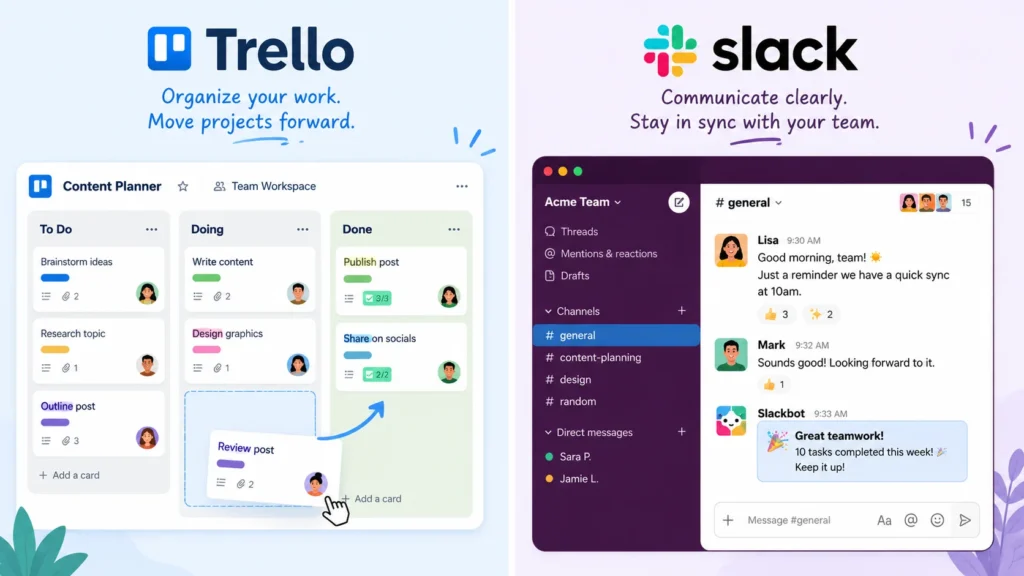
It’s a visual board made of lists and cards. Think of it like a digital whiteboard with sticky notes that never fall off. You create columns like “To Do”, “Doing”, and “Done”, then drag cards as tasks move forward.
How I use it for my small business:
I have a Trello board for content creation. One card for “Blog Ideas”, one for “Writing”, one for “Editing”, and one for “Published”. My writer, editor, and I all see the same board. No emails. No “Where’s that article?” texts. Just pure, beautiful clarity.
Why it’s great for small business owners:
- Free for basic use (unlimited cards, up to 10 boards).
- Works on desktop, phone, and tablet.
- You can attach files, due dates, and checklists to each card.
Honestly, if you’re still using sticky notes or — heaven forbid — your memory, stop. YourStory recently listed Trello as a top productivity tool for 2026, and for good reason. It just works.
Pro tip: Add the power-up called “Butler”. It’s a free automation tool inside Trello that can move cards automatically. For example: “When I drag a card to Done, mark it complete and archive it after 7 days.” Magic.
2. Slack – Kill Email Before It Kills You
I have a confession.
I used to love email. The little red notification? Felt like a present. Then I had 200 unread messages, three angry clients, and a newsletter I forgot to send. Email became my enemy.
Slack changed the game.
It’s a messaging app for teams. You create channels like #general, #client-work, or #random. Suddenly, conversations have homes. No more digging through inboxes for that one attachment from Tuesday.
My personal example:
My small team of four uses Slack exclusively for internal chat. We have a rule: “If it’s not urgent, put it in a channel. If it’s urgent, @mention me. If the building is on fire, call 911, not Slack.” Our email inboxes are now only for clients and invoices. My stress level dropped by 70%. (Not a scientific measurement. But I felt it.)
Why beginners love it:
- Free plan with a 10,000-message history.
- You can share files, emojis, and even start video huddles.
- Integrates with almost every other tool on this list.
For a deeper dive into team communication tools, check out this curated list of open-source productivity resources on GitHub. It’s a rabbit hole worth falling into.
3. Notion – The All-in-One Workspace That Replaces 5 Apps
I was sceptical at first.
Another “all-in-one” tool? I’ve been burnt before. But Notion is different. It’s part wiki, part database, part to-do list, and part calendar — and somehow, it all feels simple.
Imagine if Google Docs, Trello, and Evernote had a baby. That baby would be Notion.
Here’s what I built in Notion:
- A client database with contact info, project status, and invoice history.
- A content calendar for social media posts.
- A meeting notes template that automatically creates action items.
- A “brain dump” page where I throw random ideas so I don’t lose them.
And here’s the kicker: I didn’t write a single line of code. Notion is drag-and-drop. If you can use a sticky note, you can use Notion.
Small business use cases:
- Employee onboarding checklists.
- Product launch roadmaps.
- Inventory tracking for small shops.
The Open Source For You guide on no-code tools put it best: “Notion is the closest thing to a magic wand for workflow organisation.”
Pro tip: Start with a template. Notion has hundreds of free templates inside the app. Search “small business dashboard” and you’re 80% done.
4. Zapier – The Glue That Connects Everything
Remember how I said tools should talk to each other? Zapier is the translator.
It connects apps that don’t naturally connect. When something happens in App A, Zapier makes something happen in App B. No coding. Just clicks.
My favourite Zap (that’s what they call automations):
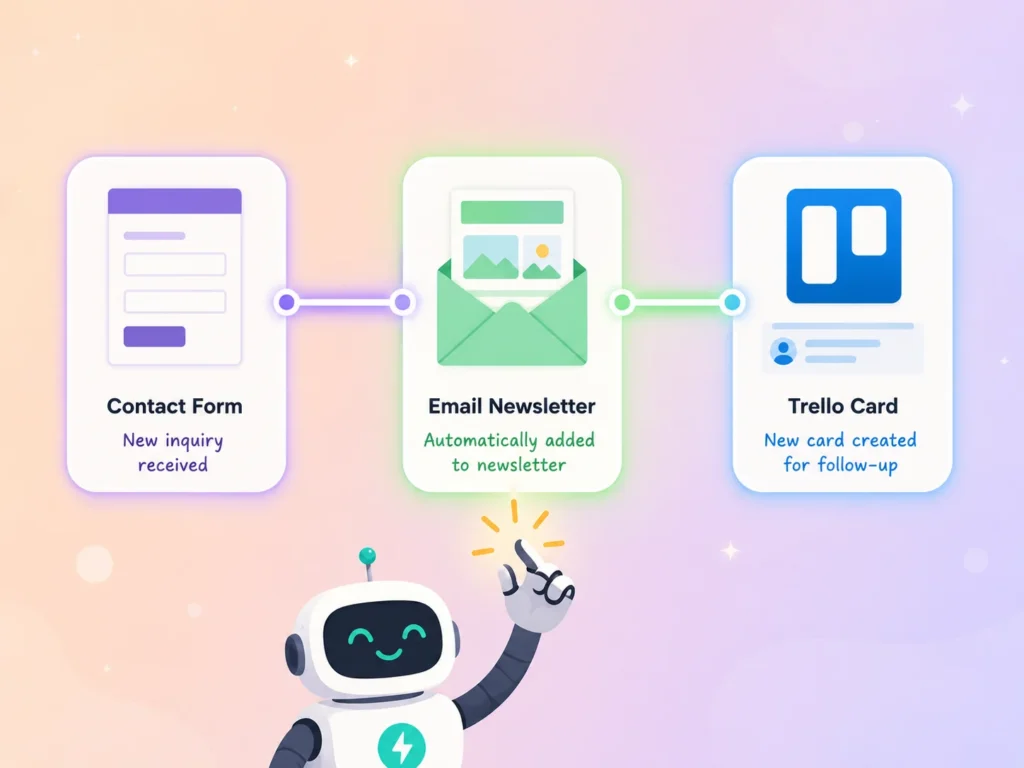
When a client fills out a contact form on my website (Google Forms), Zapier automatically:
- Adds them to my email newsletter (Mailchimp).
- Creates a new client card in Trello.
- Sends me a Slack message saying “New lead, go check it out.”
All of that happens in about 30 seconds. I don’t lift a finger.
What else can you automate?
- Save Gmail attachments to Google Drive automatically.
- Get a text when a high-value client emails you.
- Add new Shopify customers to a spreadsheet.
Zapier has a free plan for 5 single-step automations. That’s plenty for most small businesses. According to Yahoo’s AI essentials guide, automation tools like Zapier save the average small business owner 5-7 hours per week. That’s almost a full workday.
Honestly? That’s time you could spend with your family. Or napping. No judgement.
5. Clockify – Track Time Without Losing Your Mind
Here’s an awkward question.
Do you actually know where your hours go? Or do you just feel busy?
I used to guess the time. “Uh, I think I spent two hours on that report?” Meanwhile, the clock said four. I was losing money by being bad at math.
Clockify fixed that. It’s a free time tracker. You press start when you begin a task and press stop when you finish. At the end of the week, it shows you a pie chart of your life.
The wake-up call I needed:
I discovered I was spending 11 hours a week on email. Eleven. That’s almost a full workday of just… email. No wonder I wasn’t growing my business.
Now I batch emails into two 30-minute blocks. Clockify keeps me honest.
Why small business owners love it:
- Free forever for up to 5 users.
- Works as a browser extension, desktop app, or mobile app.
- Generates reports you can send to clients for billing.
Pro tip: Use Clockify’s Chrome extension. It lives in your browser and asks “What are you working on?” every time you open a new tab. Annoying at first. Life-changing later.
6. Canva – Stop Hiring Designers for Every Little Thing
Let me be brutally honest.
I have zero design talent. My handwriting looks like a spider fell into ink. But my small business needs social media graphics, flyers, and the occasional “We’re hiring!” sign.
Canva is my cheat code.
It’s a drag-and-drop design tool with thousands of templates. You type “Instagram post for coffee shop”, and Canva shows you 200 options. You change the text, swap the photo, and download. Done.
My embarrassing before and after:
Before Canva, I paid a designer $50 for a simple Facebook graphic. It took three days and four rounds of revisions.
After Canva, I made the same graphic in 7 minutes. It looked 90% as good. For free.
Small business wins:
- Brand kits (save your logo, fonts, and colours).
- Resize one design into 10 different social media sizes with one click.
- Team collaboration (my VA can edit designs without asking me for the password).
Canva’s free plan is ridiculously generous. You only need to pay if you want premium templates or a background remover (which, by the way, is worth every penny).
If you’re still paying for simple graphics, stop. Read this beginner’s guide to Canva from Microsoft – yes, even tech giants respect what Canva built.
How to Implement These Tools Without Overwhelming Your Team
Okay, you’ve got six shiny new tools. Now what?
Don’t implement all six on Monday morning. That’s a recipe for tears and angry employees.
Here’s my battle-tested 4-week rollout:
- Week 1: Just Trello. Move your current to-do list onto a board. Get comfortable.
- Week 2: Add Slack. Stop internal emails cold turkey. It’ll feel weird for three days. Then you’ll wonder why you ever used email.
- Week 3: Add Clockify. Track time for one week before analysing.
- Week 4: Add Zapier with one simple automation (like saving email attachments to Drive).
Save Notion and Canva for Month 2. They’re powerful but can feel like drinking from a fire hose initially.
By the way, involve your team. Ask, “What’s the one task that drives you crazy?” Automate that first. People embrace tools that solve their pain, not just yours.

Frequently Asked Questions (Because You’re Busy)
Q: Do I really need all six tools?
A: Nope. Start with two. I’d suggest Trello + Clockify for solopreneurs, or Slack + Zapier for small teams. Add more only when you feel the pain of not having them.
Q: How much will this cost me?
A: All six have free plans that work for most small businesses. You can run for months without paying a dime. When you upgrade, typical costs are $5–$20/month per tool.
Q: Will my non-techy employees hate these?
A: Trello and Canva are the most beginner-friendly. Start there. Slack has a tiny learning curve (channels vs. direct messages). Teach one tool at a time. No one learns six apps in a week.
Q: Can these tools work together?
A: Yes. Zapier connects most of them. For example: New Trello card → create Slack notification. Or Clockify time entry → add to Google Calendar. That’s the secret sauce.
Q: What if my business is just me? Do I still need Slack?
A: Probably not. Solo owners can skip Slack and use Trello + Notion + Clockify. Slack shines with 2+ people.
My Unfiltered Final Advice
Here’s the truth nobody tells you about productivity tools.
They won’t fix a broken system. If your workflow is chaos, adding a fancy app just gives you organised chaos. So before you install anything, ask yourself: “What’s the one bottleneck that hurts most?”
For me, it was email and forgotten tasks. Trello and Slack solved that. For you, maybe it’s time tracking or client communication. Pick the tool that stabs your biggest pain point.
And please – don’t become a tool hoarder. I’ve met business owners who spend more time organising their tools than actually working. That’s not productivity. That’s procrastination with extra steps.
Start small. Automate one thing. Celebrate. Then do another.
Your business doesn’t need perfection. It needs progress. And maybe a little less email.
Your Turn – Let’s Streamline Your Workflow Together
Now I want to hear from you.
What’s the one task that makes you want to hide under your desk? Invoicing? Client follow-ups? Scheduling social media?
Drop a comment below with your biggest workflow headache. I’ll reply within 48 hours with a specific tool recommendation from this list (or one I didn’t mention). No judgement. Just help.
And if this article saved you even one hour this week? Share it with another small business owner who’s drowning. We’re all in this messy, beautiful, caffeine-fuelled boat together.
Now go streamline something. Your future self will send you a thank-you note.